Key Takeaways: Remote Patient Monitoring for Older Adults: A Family Guide
- A useful program identifies who takes the reading, who checks transmission, who reviews the result and who calls when something is outside the agreed range.
- Seniors managing heart failure, hypertension, diabetes, COPD or recovery after hospital discharge may benefit from home monitoring.
- Older adults should be included in choosing and testing the system.
Table of Contents
- Write down who is responsible for each step
- Monitoring should solve a specific care problem
- Design for confidence, not dependence
- Set roles before data starts arriving
- Simple equipment often works best
- Create an escalation plan everyone understands
- Caregiver access must respect the older adult’s privacy
- Questions worth settling before you rely on the result
- Monitoring needs consent and a response plan
- Agree on escalation before the first alert
- The result should change a real decision
- What makes it work
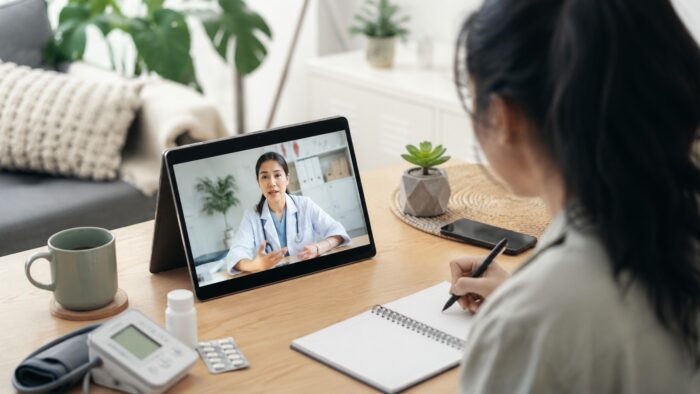
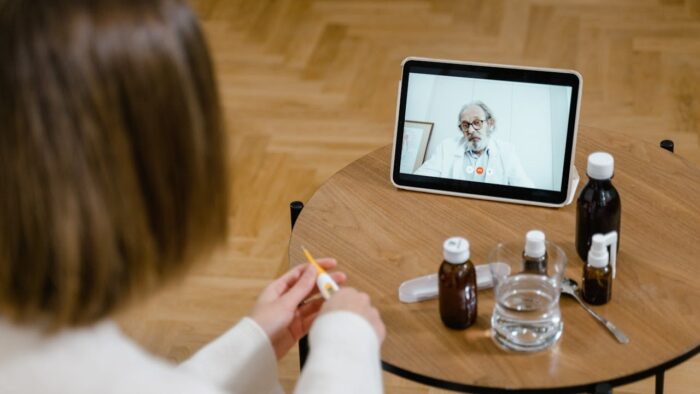
Remote patient monitoring can help older adults stay safer at home, but only when it is designed around real life. A blood pressure cuff that is never used, a scale that does not sync or an alert system that overwhelms caregivers will not improve care. The goal is not more data. The goal is earlier action when something changes.
Remote monitoring works best when the family knows what is being measured, who reviews it and what should happen after an alert. A connected cuff or scale can help a care team notice a change, but it can also create confusion if thresholds, contact hours and responsibilities are not agreed in advance.
Write down who is responsible for each step
A useful program identifies who takes the reading, who checks transmission, who reviews the result and who calls when something is outside the agreed range. Families often assume the clinic is watching continuously, while the clinic may review data only at set intervals. That misunderstanding can be dangerous.
Training should include more than pressing a button. The person needs to know correct cuff placement, scale setup, charging, connectivity and what to do when the device fails. Printed instructions and a phone contact can be more valuable than another app feature.
- Use thresholds provided by the care team rather than inventing your own.
- Ask how quickly readings are reviewed.
- Confirm whether alerts are monitored outside office hours.
- Plan for internet outages and travel.
Monitoring should solve a specific care problem
Seniors managing heart failure, hypertension, diabetes, COPD or recovery after hospital discharge may benefit from home monitoring. Regular readings can show deterioration before symptoms become severe. Families may also gain reassurance when a clinician or care team is watching important trends.
Design for confidence, not dependence
Older adults should be included in choosing and testing the system. If a device is introduced as something family members will manage on their behalf, it can reduce confidence and create resistance. A slower setup with hands-on practice is often more successful.
Caregivers also need boundaries. Monitoring every reading in real time may increase anxiety and undermine independence. Agree on which alerts require attention and which normal variations can wait for scheduled review.
Set roles before data starts arriving
- Choose devices with large displays and simple instructions.
- Make sure readings are sent automatically when possible.
- Confirm who receives alerts and how quickly they respond.
- Avoid too many devices at once.
- Discuss privacy and consent with the older adult, not only with family members.
Simple equipment often works best
Remote monitoring is strongest when connected to a clinical workflow. Devices alone do not provide care. Someone must review readings, decide what thresholds matter and respond to alerts. Programs that combine education, medication review and follow-up tend to be more useful than standalone gadgets.
Create an escalation plan everyone understands
Start with one problem. For hypertension, that may be a validated blood pressure cuff and a weekly review. For heart failure, weight trends and symptom questions may matter. For diabetes, glucose monitoring may be appropriate. A simple program that everyone understands is better than an impressive system no one follows.
Caregiver access must respect the older adult’s privacy
Information collected through remote patient monitoring for seniors may include home health monitoring, blood pressure readings and personal messages. Some consumer apps are not covered by the same rules as a hospital, so the company’s own privacy practices deserve close attention.
Questions worth settling before you rely on the result
Is remote monitoring the same as emergency monitoring?
Usually not. Many programs review readings periodically, so urgent symptoms still require the appropriate emergency route.
Can family members see all the data?
Access should be agreed with the patient and limited to what is necessary. Platform permissions and local privacy rules also matter.
Monitoring needs consent and a response plan
Remote monitoring works when technology, clinical responsibility and family expectations are aligned. The best system is often the one an older adult can use confidently with a clear human response behind it.
Agree on escalation before the first alert
Families should know which readings are routine, which need a same-day call and which require urgent help. A written plan reduces the chance that several relatives respond at once or everyone assumes someone else is watching.
Older adults should be involved in consent and device choices wherever possible. Monitoring that feels intrusive, creates frequent false alarms or adds difficult charging tasks may reduce independence rather than support it.
The result should change a real decision
Data about home health monitoring is useful only when it leads to an appropriate next step. Decide in advance who will review the information, how often and what would justify professional follow-up.
If blood pressure readings and weight monitoring remain confusing after several uses, the product may be adding complexity rather than access. A simpler service with clear human support can be the better choice.
What makes remote monitoring work for an older adult
Remote patient monitoring only helps if someone is actually reading the data and can act on it. A device that uploads readings into an app nobody reviews is a cost, not a service. HHS’s telehealth resource for patients is the clearest starting point for what remote care is set up to do and what it is not.
The second condition is instrument quality, because the whole model rests on home readings. A validated upper-arm blood pressure cuff gives a clinician something usable. The American Heart Association’s 2025 statement found that cuffless wearable blood pressure estimates have largely not been proven accurate for real-world use and should not be used for diagnosis or treatment decisions, so a wrist figure is not a substitute. Similarly, the FDA has warned against smartwatches or smart rings claiming to read blood glucose, as no such device has been authorised.
Falls deserve separating from monitoring altogether. A fall-detection pendant or watch matters in the minutes after a fall, particularly for someone living alone, and that is genuinely valuable. It is not prevention. The National Institute on Aging’s guidance on falls and fractures and the CDC’s falls material both point to the interventions with the strongest support, and they are largely physical and environmental: strength and balance work, medication review, lighting, footwear and removing hazards.
Finally, the privacy question is different for an older adult because a family member is usually involved. Be clear who can see the data, whether consent was actually given rather than assumed, and whether the service is covered by HIPAA at all, which many wellness-branded monitoring products are not.